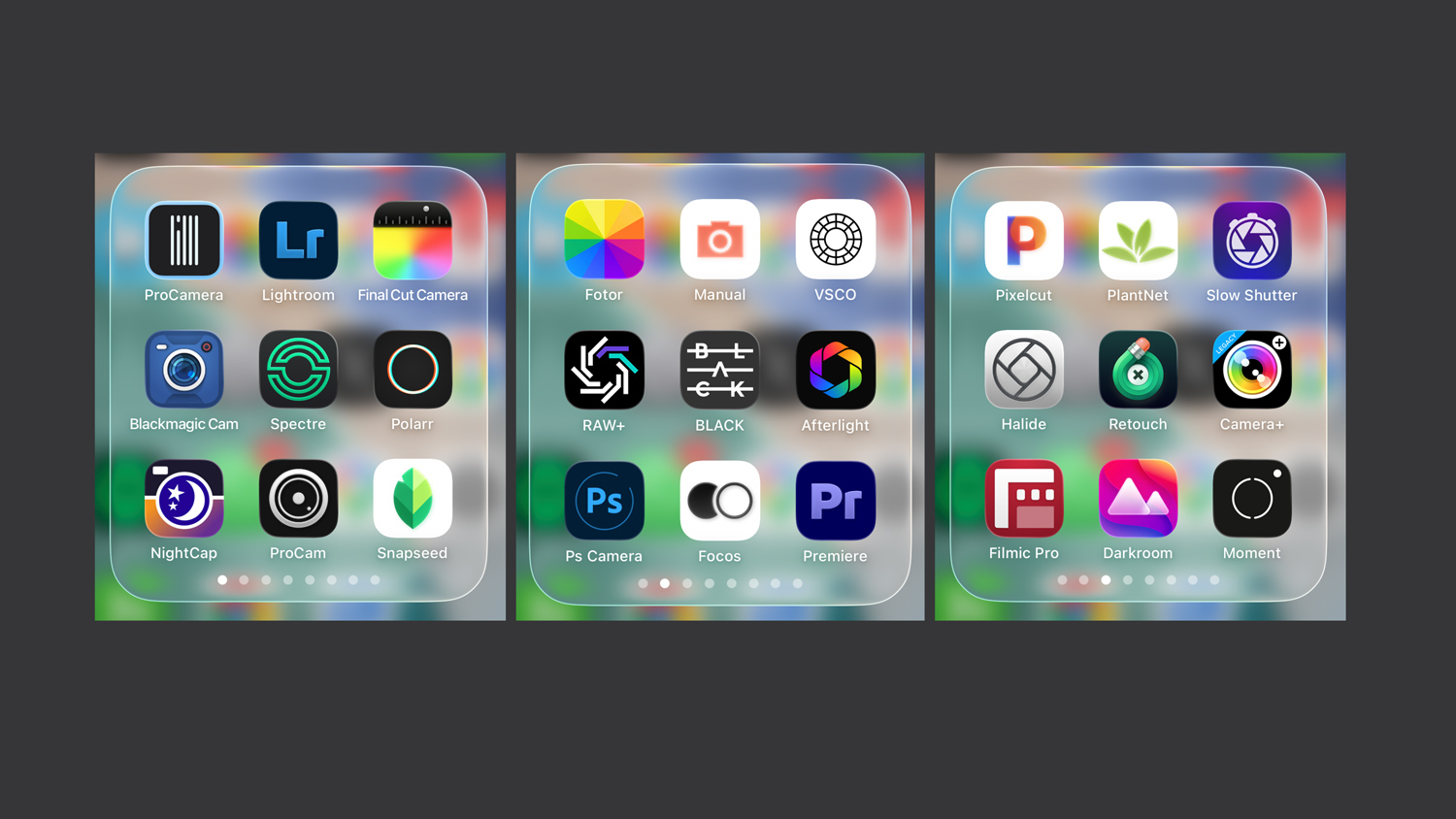
Over the past decade, I’ve tested dozens of iPhone photo and video apps—but only a few truly stand out, and I use them every day, both for shooting and editing. This list covers the apps that actually make a difference, with notes, links, and real-world tips from years of iPhone photography.
I’m a professional photographer who has been shooting with iPhones since the iPhone 6, — that’s 2014, over a decade of daily use. For years, the same question kept coming up: which apps do experienced photographers actually use, and how do you unlock what the iPhone camera can really do? This list — and the table below — is my answer. I hope you find it useful.
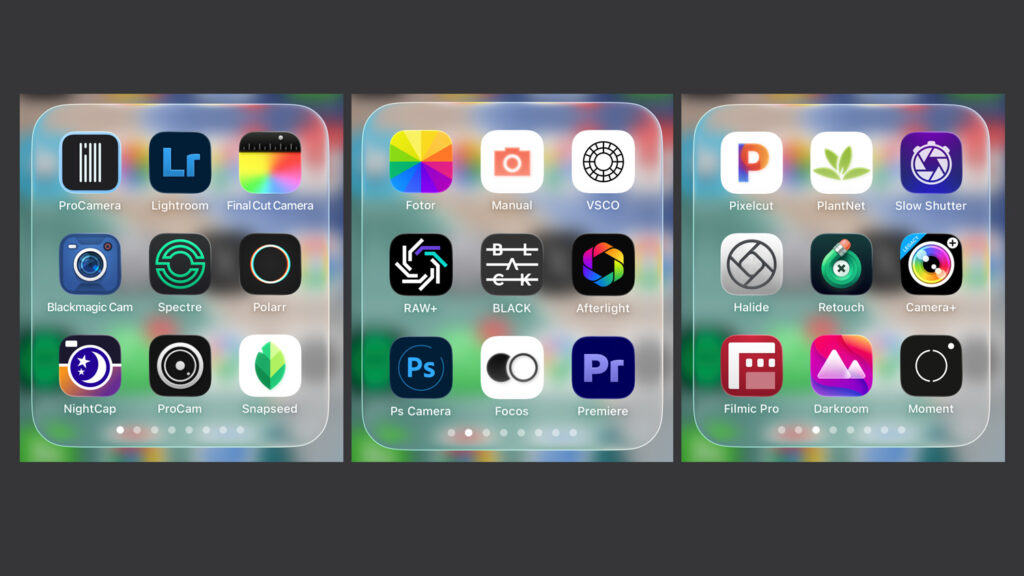
Best iPhone Photo & Video Apps I’ve Actually Used for Years
| Best iPhone Photo & Video Apps I’ve Actually Used for Years (2026) | ||
|---|---|---|
| Use case | Recommended apps | Links |
| 1. Best Photo and Video Apps I use all the time | ||
| “I need a camera app to extend the photo capabilities of my iPhone.” | ProCamera – my go-to choice for nearly 10 years: excellent manual controls for the iPhone camera, the most comprehensive of all the apps I’ve tested over the years, with the most user-friendly interface and tons of small helpful features (ProRAW, manual focusing, etc.). Editing tools are limited. | My video about ProCamera on YouTube ProCamera on the App Store Free 7-day trial |
| “I need advanced camera and editing features.” | Lightroom – an all-time star among iPhone camera apps, offering both camera controls (less user-friendly than ProCamera) and editing tools, which are the best I’ve ever tested (masking, AI selections, lens blur, etc.). It is (probably) the only app with full support for Apple ProRAW. The premium version is free for subscribers of Adobe Photo plans. | Lightroom App on the App Store Free basic version |
| “I need a tool to quickly retouch faces, portraits, and people.” | Polarr – for years, it used to be my #1 choice among (partly free) apps on both mobile and desktop. It has very good editing tools and an excellent (the best I could find) section for retouching faces (Skin Smoothing, Eye Brightness, etc.). It is no longer free, so the charm is gone. | Polarr on the App Store Free trial |
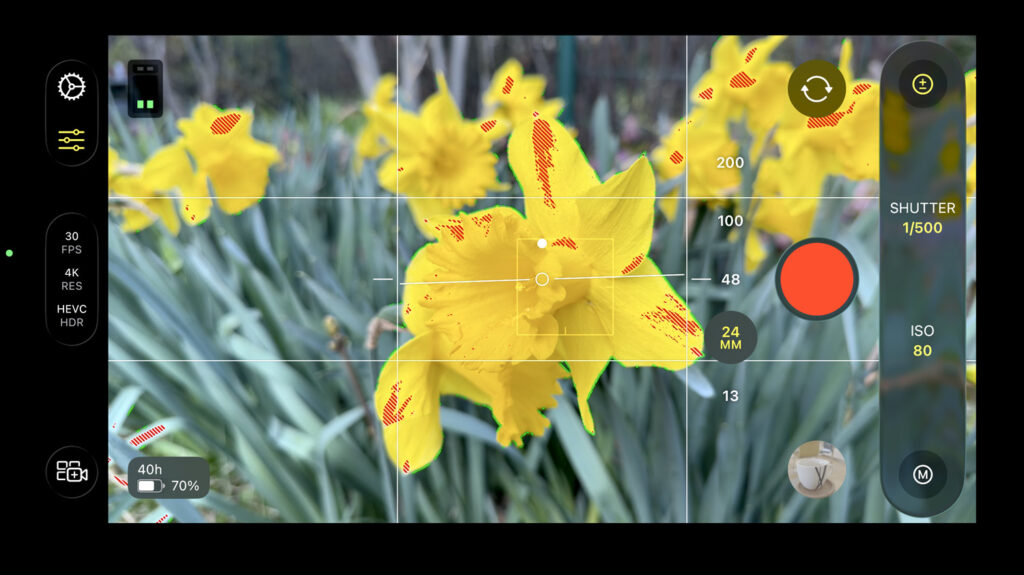
| “I need the best app to get the maximum video quality from an iPhone.” | Final Cut Camera – an official Apple app that you need to use for the most advanced video features of the iPhone 17 Pro (ProRes RAW, Open Gate recording, etc.), plus manual controls. Generally, it’s the best (i.e., the most finely tuned) option for special tasks like Log 2 recording. | Final Cut Camera on the App Store My article about Open gate recording. Free! |
| “I need the best app for advanced video recording.” | Blackmagic Camera – an excellent app for truly advanced videography, including manual controls, LUTs, streaming, remote control—you name it. Used by many professionals around the world, and yes, it’s free. Sometimes not fully compatible with the most recent Apple features. | Blackmagic Camera on the App Store Free |
| “Should I use the default camera at all? YES!“ | Default Camera / Photos App – my honest advice: use the default iPhone Camera / Photos App as much as you can for shooting and editing. It will always be the most finely tuned piece of software you can get. The great apps from this table make sense for special tasks that the iPhone cannot accomplish. | My articles about iPhone photography Free |
| “A precious app that photographers cannot live without?” | NightCap Camera – a great app I’ve been using for many years to shoot star trails (the movement of stars in the night sky). I just noticed it hasn’t been updated for three years; I hope it will survive—I really need it! | NightCap Camera on the App Store $2.99 |
| “The best way to back up iPhone photos?” | Google Photos – strictly speaking, not a camera app nor an editor, but still a must-have on this list. I’ve been using Google Photos to back up my photos for years, apart from iCloud. The key advantages: a reliable archive, advanced search (keywords, location, faces), and many other features. The app is free, but you need to purchase extra storage. | Google Photos on the App Store Free |
| “Any other tools worth testing?” | Luminar Mobile – I enjoy experimenting with Luminar Neo, a desktop photo editor and one of the few real competitors to Photoshop. Luminar Mobile is a tool for quick, advanced edits on the iPhone, with syncing to the desktop app. You can start on the iPhone and continue seamlessly on the desktop. | Luminar Mobile on the App Store Subscription |
| 2. Best Photo and Video Apps I’ve Used / Tested in the Past – and Are Worth Considering | ||
| “Any other great video apps?” | Filmic Pro – I cannot skip this legendary app. I used it for many years and loved its advanced controls and the unique option of remote control from another iPhone. But now I’m using the free Blackmagic Camera instead. | Filmic Pro on the App Store Subscription |
| “Any other great camera apps?” | Moment Pro Camera II – the second generation of Pro Camera by Moment, a quite popular app worth testing. It offers very nice controls and useful functions. But, like many other apps, the functions are mostly (or nearly) the same: shutter speed, white balance, focusing, etc. ProCamera (above) has a better and larger combination of tools. | Moment Pro Camera II on the App Store $9.99 (one‑time purchase) |
| “Any other great camera apps?” | ProCam – yet another “Pro Camera” in our collection and a traditional app that has been around for years. I opened it again recently, and yes, it is actually a very good option, offering not only many functions but also a nice interface. Definitely a valid choice for advanced users. | ProCam on the App Store $9.99 (one‑time purchase) |
| “Any other great camera apps?” | Halide Mark II – another well-known app that was very popular some time ago and remains among the most popular. It offers some nice features (including “Process Zero,” a RAW capture), and a new version is coming soon. But once again, the functions are basically the same as in all the “professional” camera apps. | Halide Mark II / III on the App Store Free trial |
| “Any other interesting camera apps worth trying?” | Camera+ – this name rings a bell among many users, it used to be a true legend, one of the first great iPhone apps (you can find the legacy version here). | Camera+ on the App Store Free trial |
| “A truly advanced editing app that’s free?” | Snapseed – one of the legends in the world of photo editing apps. It’s free, offers a huge range of tools, and is owned by Google, so — hopefully — your data are safer than when using a “regular” app. That said, I never really liked it; the way you have to operate it is simply too complicated and old-fashioned. But give it a try! | Snapseed on the App Store Free |
ProCamera – The Best Combination of Great Features
I started using ProCamera almost ten years ago—I needed a good tool primarily for exposure control. And I’ve stayed loyal to it until now. From time to time, I test various alternatives, but with a high degree of confidence, I can say it has no real competition. It offers the widest range and the best combination of tools for advanced photography.
My Video: Exploring ProCamera – 10 Minutes in 4K
To which it’s good to add: I’m definitely not forcing it on you. It’s possible you’ll get used to one of the competitors (ProCam, Halide, Moment Pro Camera II, etc.); they offer very similar controls, but—and here’s my main argument—ProCamera simply offers more and generally has a clearer interface.
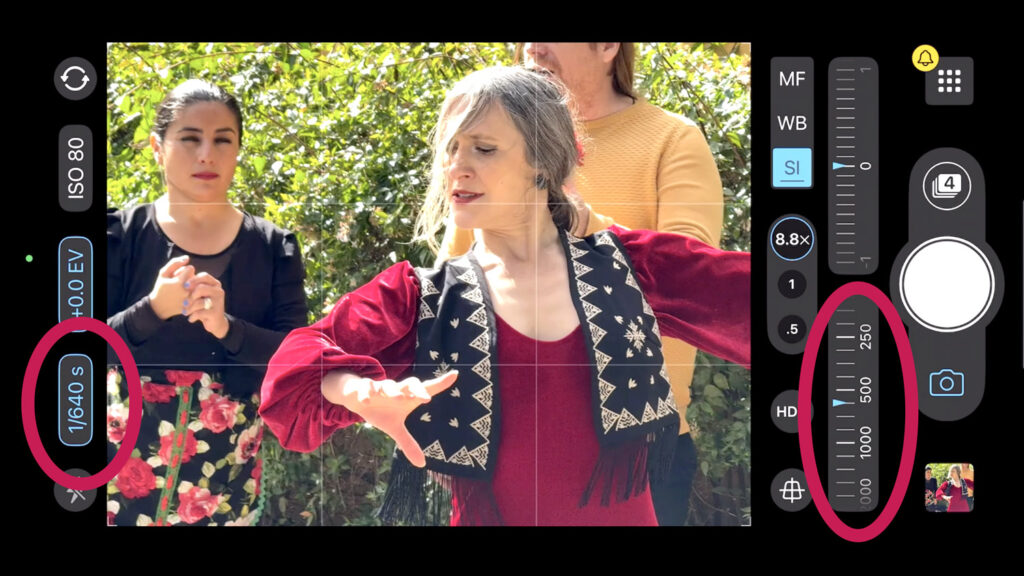
What exactly I use: Most often, I use the exposure settings, specifically the Semi-Auto mode for solving motion blur issues, white balance adjustments, great manual focusing with focus peaking, or Auto Perspective Correction. See the video. The only limit: it is primarily an app for camera control; the editing tools are more of a supplement.
Adobe Lightroom – Great Camera, Best Photo Editing Tools
Lightroom is an absolutely mandatory tool for anyone who has the ambition to engage in advanced iPhone photography. In one key role, its free version offers the possibility of manual or semi-automatic exposure settings, plus a range of valuable tools for photo editing and working with RAWs. However, it’s a shame not to use the paid version, which has a number of other truly top-tier tools that are really useful for everyday shooting. Plus: for owners of desktop Adobe photo licenses, everything is free.
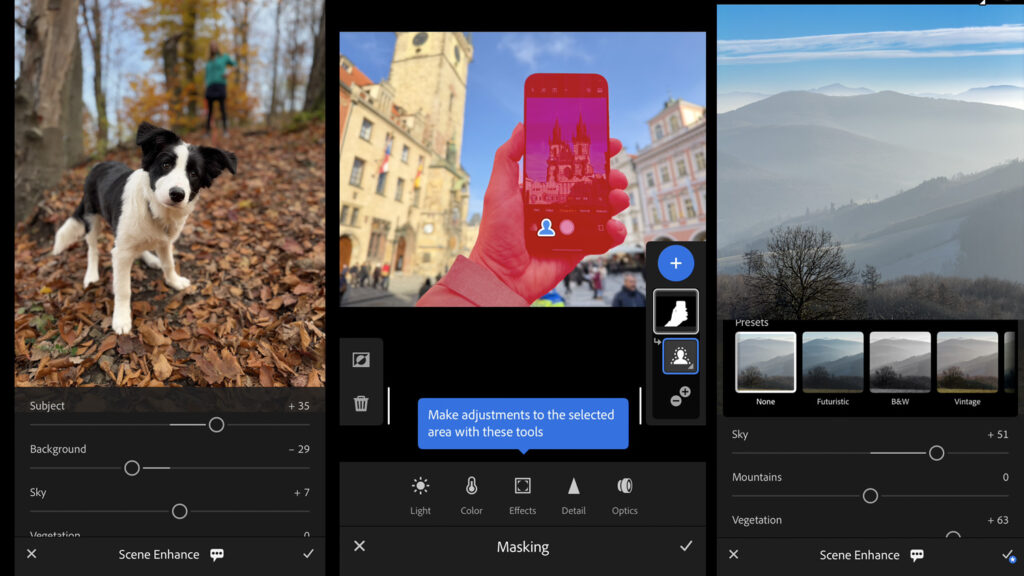
What exactly I use: I very often show friends and students how to manually control exposure time and ISO in the free version. Plus a range of valuable editing features. I love using the full version for working with selections, masking, and color grading. I really like that Lightroom can automatically select the sky, for example, and give me the option for selective edits. That is exceptionally useful.
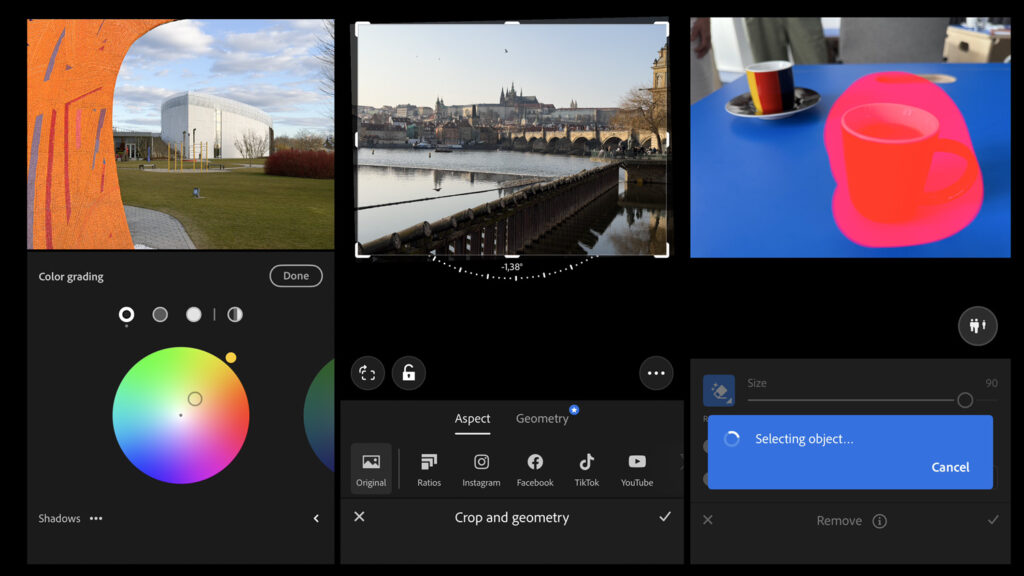
Plus, I really like the background blurring. And we mustn’t forget what is generally less known: that Lightroom can fully work with the Adobe ProRAW format, which other apps only do partially. I personally don’t use Lightroom desktop syncing, but I understand that experienced photographers find it very useful.
Polarr – Used to Be the King of Free Editing, Still Tempts with Portrait Editing Today
For many years, Polarr was an extremely important tool for me; I filmed videos about it and used it in my courses—and that applied to both the app and the desktop version. You see, in my opinion, it was the best free photo editing software—it gave beginners a truly great set of tools where they could learn a lot.
Unfortunately, like other tools, over time its free version became unusable on both computer and mobile; almost everything essential moved to the paid version. Which is a shame, but of course, I understand it—you have to pay for good things, although I also have the impression it has somewhat run out of steam overall.
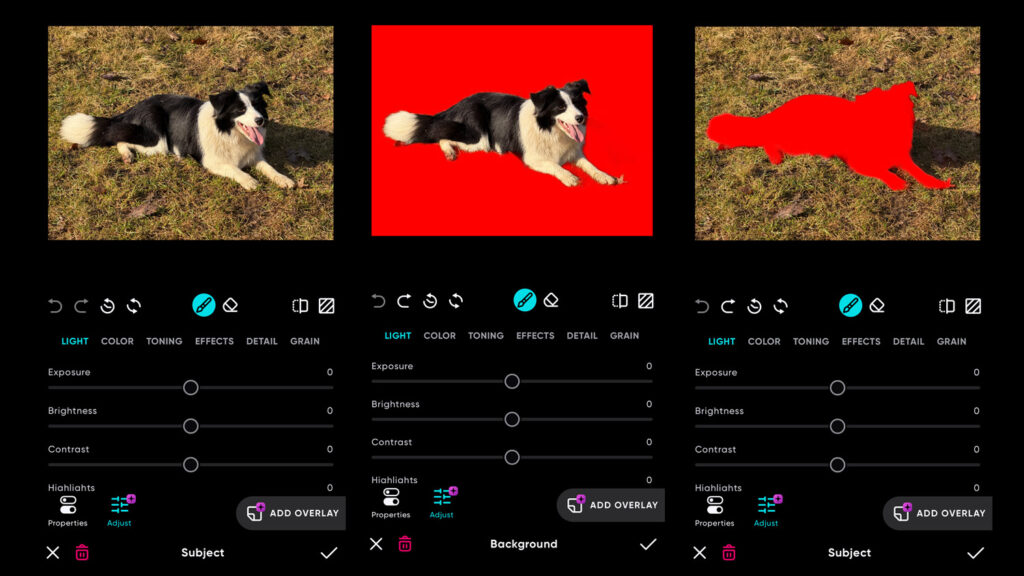
What exactly I use: I continue to show Polarr to many of my students because of the quick portrait retouching tools, which I believe are the reason to get the paid version—the face retouching features (Skin Smoothing, Eyes Brightness, etc.) are truly well-tuned. Yes, many other apps can do this, but so far I haven’t managed to find one that can do it so quickly and effectively. Just to be sure: these are basic retouches, but those are often what’s needed most—you might know those strict looks from your wife when not everything on a weekend photo is exactly to her liking.
Final Cut Camera – Without It, the iPhone 17 Pro Won’t Work to Its Full Potential
I edit video on my desktop using my favorite Final Cut Pro, so I occasionally used the official Apple app, Final Cut Camera, for video. I admit, it wasn’t very often; however, the importance of Final Cut Camera changed significantly with the arrival of the iPhone 17 Pro. If you want to use the new and absolute maximum video quality, ProRes RAW, or perhaps “Open Gate” recording to the full size of the sensor, it (almost) won’t work without Final Cut Camera. Why almost? Theoretically, other apps can do it, including Blackmagic Camera, but in my tests shortly after the release of the iPhone 17 Pro, they weren’t quite finished yet. In short: this is the official app guaranteeing total compatibility. And that simply counts in the Apple world.
My Video: iPhone 17 Pro and Final Cut Camera – 4 Minutes in 4K
What exactly I use: I use Final Cut Camera in situations where I’m testing special iPhone 17 Pro formats, but also in more common situations where I need to manually control shutter speed and ISO.
Blackmagic Camera – Often the Choice of Professionals, Advanced Free App
Blackmagic is a famous Australian company producing top-tier professional software and hardware for video makers and professional filmmakers. It’s no wonder their free app has gained huge popularity. And it’s definitely not just because it’s free—even if it weren’t, it offers a truly extraordinary collection of tools for advanced video creation. It’s definitely worth a try—and if you ask for recommendations from experienced users, they will very likely recommend this one.
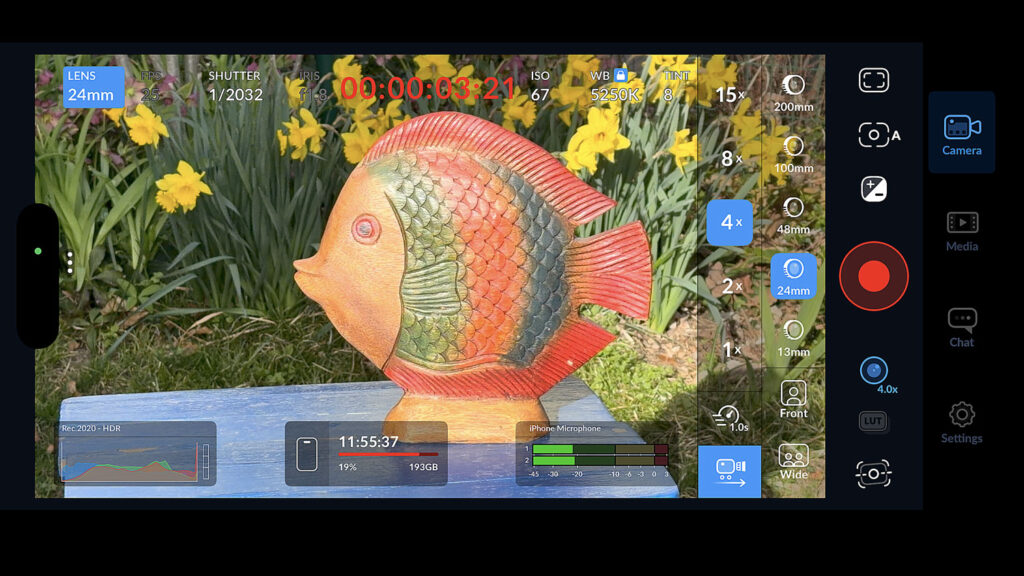
What exactly I use: Personally, I mainly use manual controls for exposure and ISO and other basic key settings. Tools for working with LUTs are also very valuable to me, and I love the option to use a second phone as a remote control—meaning I use the main iPhone as the camera and control everything comfortably from the second phone.
Default Camera / Photos App – Always the Most Advanced Option
Just to be sure, one more time what I mentioned at the beginning of the article and in the summary table: apps are important and can significantly improve what the default iPhone tools offer. But: it’s still very sensible to use the default camera app most of the time because it is and always will be the most fine-tuned.
Similarly, iPhone users sometimes don’t realize that the basic photo editing tools available with one click directly in the Camera app or Photos are simply great. And entirely sufficient for most quick edits.
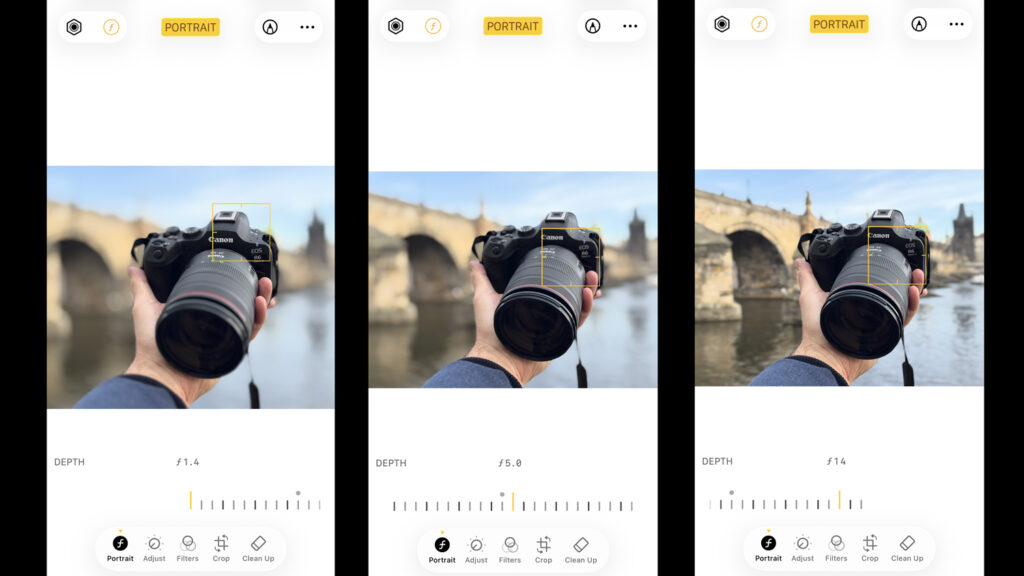
What exactly I use: Most often, I work with Portrait mode edits, where I might reduce the degree of background blur, for example. Or I frequently perform basic adjustments: brightening shadows, adding contrast to a photo, or slightly increasing saturation. And I really often don’t do this on the iPhone, but on the MacBook, where everything syncs via iCloud. And the editor on the Mac is truly excellent.
NightCap Camera – A Small Treasure Unlocking Star Trails
Do you really want to impress someone with something that “surely couldn’t have been shot with an iPhone?” Buy the NightCap Camera app for a few dollars. Mount your iPhone on a tripod, wait for a truly starry night, and then just press the button. In ten minutes or even three hours, you won’t believe your eyes at the beautiful star trail photos that are created. Just better hurry—the app hasn’t been updated for several years, so hopefully it won’t meet the fate of many similar smaller apps and disappear.
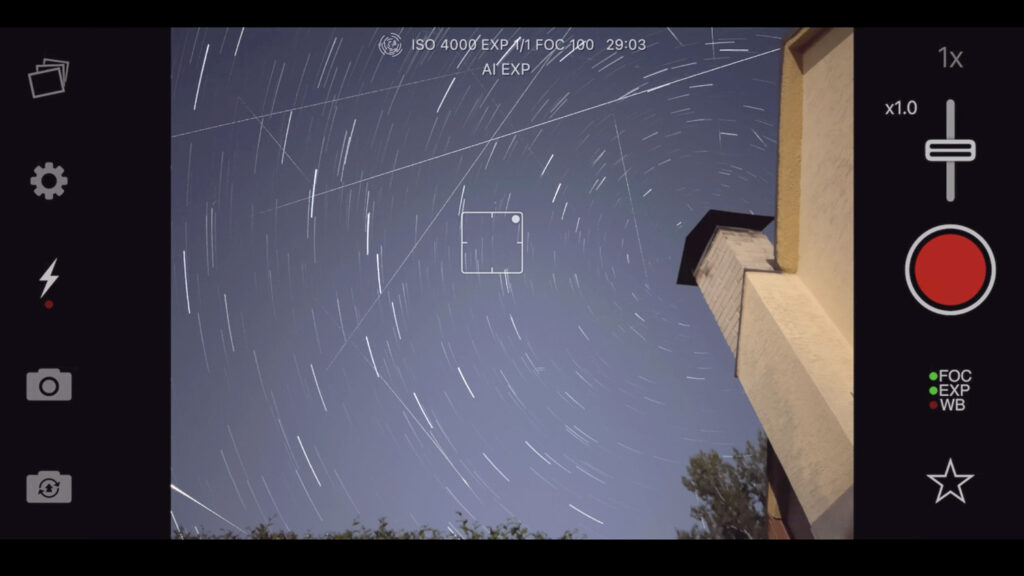
What exactly I use: NightCap Camera can do quite a lot and has various modes and functions, but to be honest, the main one is the most important: the star trails are truly worth it.
Google Photos – Slightly Boring, but Still Essential App for Backing Up Archives
If you were to ask me which app I spend the most time with, it would probably be good old Google Photos. I just think it should be in this list because—after all—I can’t imagine backing up my huge archives without it. Yes, I also pay for iCloud, so iCloud Photos backs up my archives there too (over 150,000 photos, ouch!), but I like having duplicate backups. And Google Photos simply comes in handy in some situations—like searching for photos from a location that the iPhone didn’t find.
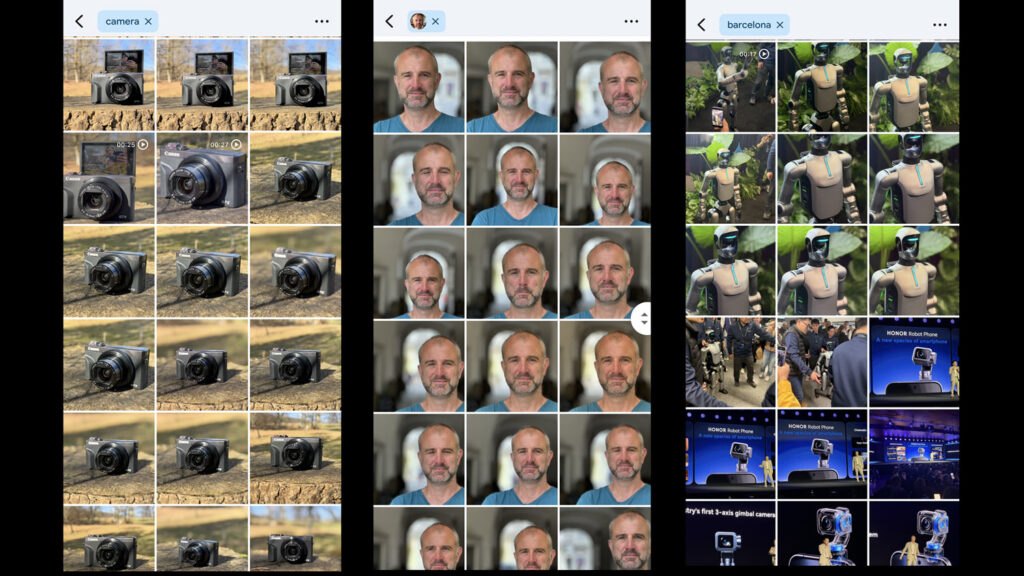
What exactly I use: I admit, I actually only use Google Photos for backup and searching within the archives. I ignore all other functions, from creating various collages, animations, or photo books. Searching is essential for me: perhaps most frequently, I use search by location: when I need to find something specific from a particular place. And yes, I couldn’t live without face detection anymore either (though yes, Apple can do this well too).
Luminar Mobile – Unique Layout and Useful Desktop Sync
Luminar Mobile is an example of an understated app that is easy to like. For many years, I have been testing the Luminar Neo program (for desktop), which is one of the few real competitors to Photoshop. It also offers a mobile app, which in itself has very interesting features and, above all, very addictive controls. The key is that after editing on mobile, you can continue the editing on your computer—all adjustments can be finalized or toggled off—and the edit history is transferred as well.
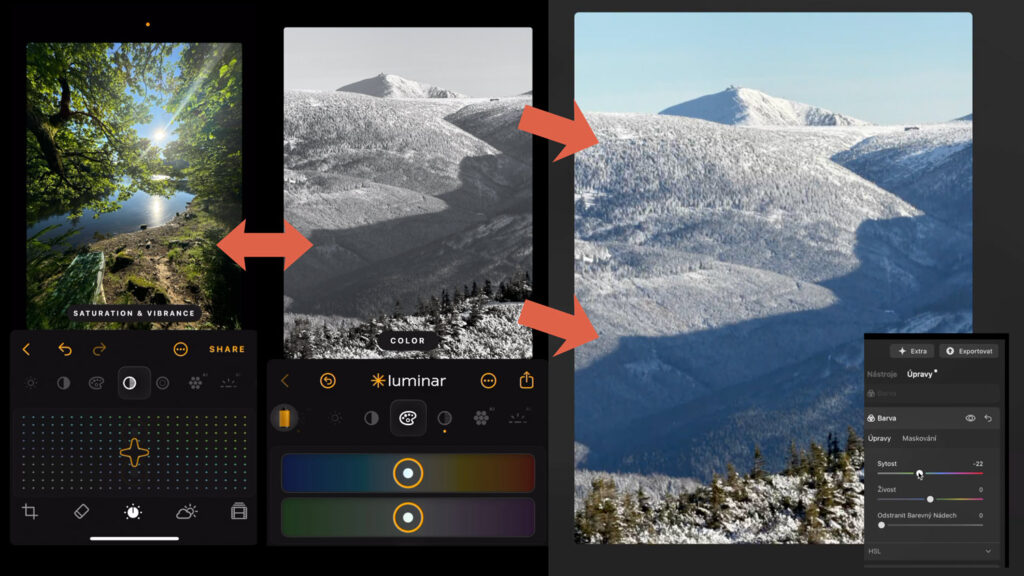
What exactly I use: I like the graphic design of the app, so I occasionally use Luminar Mobile for basic edits. I don’t work with the synchronization yet, but there’s no doubt it’s only a matter of time; it really is a handy feature.
Other Interesting Options: Halide, Moment Camera, ProCam…
As I’ve already mentioned, this overview primarily includes those apps that I actually use and which, after decades of testing, I consider the most sensible choice for common, but also very specialized photography.
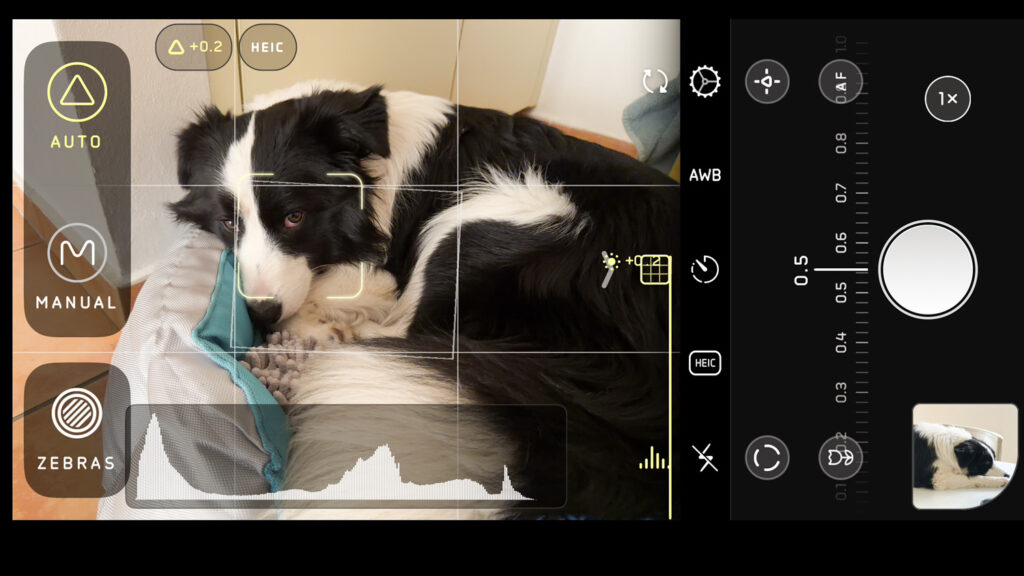
However, that doesn’t mean I haven’t missed some treasure, so I’ll be happy if you suggest one in the comments. And the second essential fact is that apps really only have a relatively small “playground” given to them by Apple—meaning the number of functions and options they have is limited. Why am I repeating this? Because the apps are then truly very similar and often differ only in graphic design or emphasis on a certain function.
Among the interesting options worth trying is Halide, for example, which is a popular app currently preparing its third version/generation. Or try ProCam, Moment Camera or Luminar Mobile those are also very likeable options. I don’t use them because I simply got used to ProCamera and I think it generally offers a slightly better combination. But I’m definitely not forcing it on you—maybe you’ll like other apps better.
So let me know what you use!















Leave a Reply